Using advanced reports & tax prep
This guide explains how to prepare a tax report with filters, advanced search, and CSV export.
1) Add tags to a transaction
Open a transaction, add one or more tax tags, then save.
 Enlarge screenshot
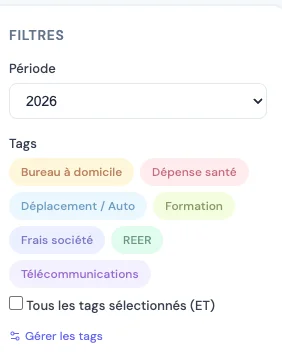
 2) Filter by fiscal year
In Reports, select the fiscal year before applying additional filters.
 Enlarge screenshot
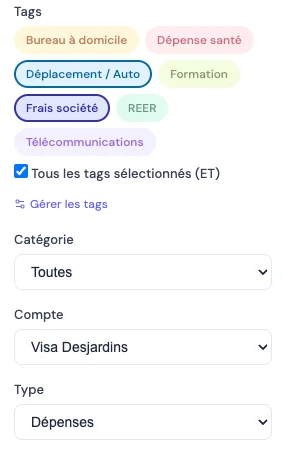
 3) Use advanced search
Combine keywords, categories, accounts, and tags to narrow results.
 Enlarge screenshot
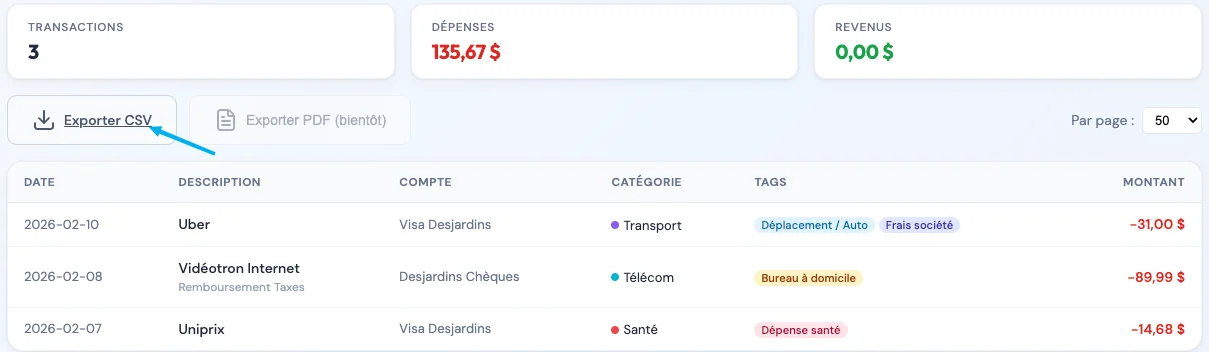
 4) Export a CSV report
After validating your filters, click Export CSV to download the report.
 Enlarge screenshot
 5) Save a search
Save a search to quickly reuse it for your next filing cycle.
 Enlarge screenshot